Design Review and Online Proofing Software for In-House Creative Teams
Design review software lets creative teams collect annotated feedback, route work through structured approval stages, and maintain a complete audit trail without email chains or disconnected tools. RoboHead’s browser-based online proofing module is built specifically for in-house marketing and creative departments in regulated industries, where every comment, version, and sign-off needs to be tracked, defensible, and fast.
“RoboHead is the best tool available that allows us to review projects, have collaboration and discussion on the multitude of projects that we work on daily, all in one place.”
Jeff W., Head of Creative Services & Traffic, Sega
The Hidden Cost of Email-Based Design Reviews
Your team didn’t sign up to chase approvers across inboxes. But that’s where most design feedback still lives: buried in email threads, marked-up PDFs sent as attachments, Slack messages, and conflicting comments from legal, brand, and clinical reviewers that nobody has fully reconciled.
RoboHead’s 2026 Benchmark Report, drawing on data from 300 creative teams and 10,000+ contributors, found that the average project request arrives with 4.5 missing fields that project managers have to chase down after submission. Design and branding projects run 11.34% over their originally requested deadlines on average. For a 27-day project, that’s more than three extra days absorbed somewhere in the process, and unstructured review cycles are where most of that time goes.
For teams in regulated industries, the cost isn’t just schedule overrun. It’s missing audit history, compliance flags caught too late, and rework that should have been caught before a file left the designer’s screen.
What RoboHead's Online Proofing Software Does
RoboHead is a complete design feedback tool and design collaboration software built for high-volume, compliance-driven creative work.
Browser-Based Review Portal
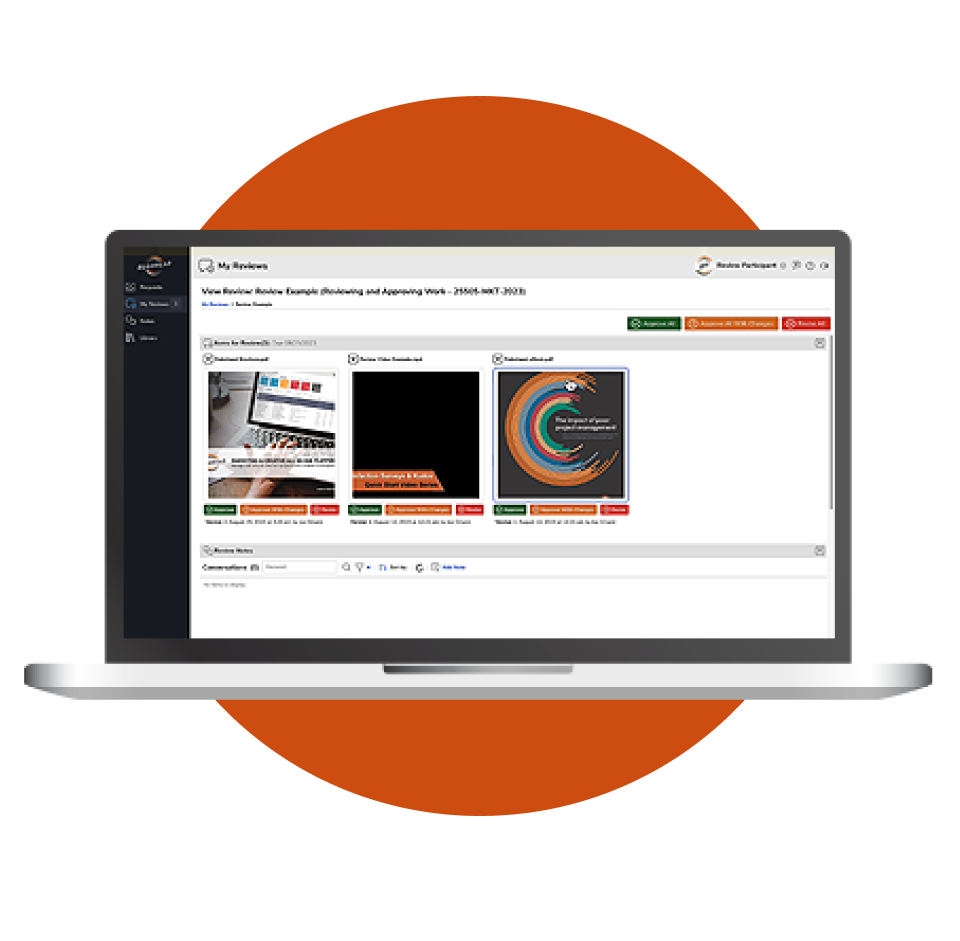
No downloads, plugins, or login required for external stakeholders. Send a link and clients, legal counsel, or executives annotate directly in their browser on any device. The same portal your team uses is the one your CMO and outside counsel use. No friction, no onboarding, no excuses for late feedback.
Multi-Format Annotation
Review and annotate PDF, JPEG, PNG, GIF, MP4, MOV, HTML, and 3D files including GLB and USDZ in a single interface. Video timeline comments, frame-accurate markup, and 3D model rotation are native capabilities, not add-ons. One tool covers print, digital, video, and packaging without switching platforms.
Full File Type Support
Upload and annotate virtually any file type directly in the browser: PDFs, JPGs, PNGs, GIFs, MP4 video, YouTube links, web pages, 3D files with animations, and email templates. No plugins, no downloads, no file conversion required.
Multi-Stage Review & Approval Routing
Build sequential or parallel review workflows with role-based routing — brand, then legal, then regulatory, then production. Each stage gates the next, so work only moves forward when the right people have signed off. Every approval is timestamped and logged.
Side-by-Side Version Comparison
Compare any two versions of a file side-by-side to see exactly what changed between rounds. Reviewers see the current state, not the version that arrived in their inbox three days ago. All feedback and annotations stay attached to the version they were made on.
Digital Signatures & Audit Trails
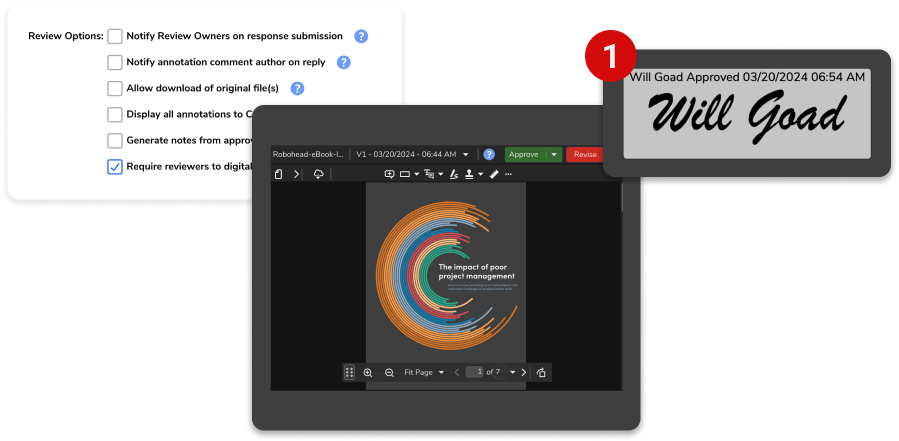
For regulated industries, require digital signatures on approvals. Every signature is timestamped, creating a full, exportable audit history. When compliance asks who approved what and when, the answer takes seconds.
External Reviewer Access
Share a review link with anyone: legal, compliance, clients, printer contacts, agency partners. They annotate directly from their browser with no login, no account, and no software download required. Links can include expiration dates to control access.
Consolidated Feedback
All comments, annotations, and approval decisions are tracked, date-and-time-stamped, and recorded in one place. No more reconstructing feedback from email threads, Slack messages, and marked-up PDFs.
What Creative Teams Actually Gain
Switching from email-based feedback to structured design approval software changes measurable things.
Maui Jim replaced email-based feedback with RoboHead’s review module and saved more than 200 hours in request processing alone. Their creative team now manages luxury brand consistency across a growing global catalog with workload visibility built into the same system.
According to RoboHead’s 2026 Benchmark Report, packaging projects — one of the most annotation-intensive project types — have improved from running 11.23% over deadline to just 2.21% over deadline in two years.
Design and branding projects have followed a similar path: from 13.14% over to 11.34%, still improving. Structured process, including structured review, is what drives that curve.
Teams Using RoboHead Also Report:
External reviewers annotate directly from their browser. Removing participation barriers means feedback arrives in a single consolidated round rather than across multiple follow-up emails.
Compliance teams getting audit-ready review exports in minutes rather than assembling evidence from email archives
Project managers spending less time chasing sign-off because staged routing sends automatic reminders when approvals stall
Built for Compliance-Heavy Industries
Generic project management tools were not built for MLR review, FINRA disclosure cycles, or retail artwork sign-off. RoboHead was.
01
HEALTHCARE MARKETING TEAMS
PHI-adjacent workflows, multi-level clinical and medical-legal review, and HIPAA-defensible audit trails. Jefferson Health and other major health systems use RoboHead’s staged approval routing to move patient education, physician marketing, and service-line campaigns through clinical sign-off without losing version history. Each stage has a named approver, a timestamp, and a locked version once cleared.
02
FINANCIAL SERVICES CREATIVE
SEC and FINRA disclosure review, compliance officer sign-off, and legal stage gates with timestamped approvals. Each version is locked once approved, with a full chain of custody for examiner requests. The review history is exportable as a single document, not reconstructed from an inbox.
03
CONSUMER GOODS AND PACKAGING
Print pre-flight, CMYK proofing, dieline review, and brand-standard enforcement across SKUs. Maui Jim uses RoboHead to maintain luxury brand consistency across a growing global catalog, with workload visibility built in. The same tool that routes the review also tracks who is at capacity so no designer gets five packaging rounds in the same week.
04
EDUCATION MARKETING DEPARTMENTS
High-volume approval workflows across faculties, deans, and external agencies. Stakeholder management designed for matrixed organizations where one campaign needs sign-off from six departments. Staged routing enforces the right order without requiring a project manager to manually coordinate each hand-off.
Proofing Built Into Your Project Management, Not Bolted On
CAPABILITY
STANDALONE PROOFING TOOLS
ROBOHEAD
BROWSER-BASED ANNOTATION
✓
✓
STAGED APPROVAL ROUTING
✓
✓
CONNECTED TO ORIGINAL BRIEF AND TASK
✕
✓
Resource and workload visibility
✕
✓
Built-in request intake
✕
✓
Compliance audit trail
PARTIAL
✓
Built for in-house teams, not agencies
✕
✓
DIGITAL SIGNATURES
✕
✓
FULL FILE TYPE SUPPORT
(PDF, VIDEO, 3D)
✕
✓
SEE HOW ROBOHEAD MANAGES THE FULL CREATIVE PROJECT LIFECYCLE FROM INTAKE THROUGH DELIVERY
Frequently Asked Questions
What is design proofing software?
Design proofing software is a tool that allows creative teams and stakeholders to review, annotate, and approve design files in a shared digital environment. It replaces email-based feedback with structured, version-controlled reviews that maintain a full audit trail. RoboHead’s proofing module adds staged approval routing, AI pre-review via Robo Proofreader, and integration with the full project lifecycle, so feedback never lives in a silo outside the system managing the work.
What types of files can be reviewed in RoboHead?
RoboHead supports PDF, JPEG, PNG, GIF, MP4, MOV, HTML, and 3D file formats including GLB and USDZ. Multi-format support matters for in-house teams whose deliverables span print, digital, video, and packaging, all of which need the same structured review process without switching tools by file type.
How does RoboHead's online proofing differ from standalone proofing tools?
Unlike standalone tools like Ziflow or Filestage, RoboHead connects the review and approval process to the full project lifecycle — brief, tasks, deadlines, and resource management — in a single platform. Reviewers have project context when they annotate, and project managers see review status without switching systems. There is no reconnection step between where the work is managed and where it gets reviewed.
Is RoboHead's proofing tool suitable for compliance-heavy industries?
Yes. RoboHead includes a full audit trail, optional digital signatures, and staged approval routing designed for regulated industries including healthcare, financial services, and consumer packaged goods. Audit exports support HIPAA, FDA, FINRA, and SEC documentation requirements. See RoboHead’s customer reviews for examples from compliance-driven teams.
Can external stakeholders participate in design reviews without a RoboHead login?
Yes. External reviewers — clients, legal, executives, agency partners — can be invited via email link and annotate directly in their browser. No account, no plugin, no software install required. The barrier to participation is as low as it can be, which is exactly why feedback arrives faster.
What is Robo Proofreader and how does it work?
Robo Proofreader is RoboHead Spark’s AI-powered pre-review tool that automatically checks submissions for spelling errors, grammar issues, brand guideline compliance, and flagged legal terms before work reaches a human reviewer. It catches the small mistakes that would otherwise trigger an entire extra review cycle — before any stakeholder time is spent.
How does RoboHead handle multi-stage design approval workflows?
RoboHead lets you configure sequential or parallel approval stages with named reviewers and role-based permissions. Stages progress automatically once each gate is cleared, and stalled approvals trigger reminders so nothing sits in a reviewer’s queue unnoticed. For a deeper look at how automation drives stage progression, see RoboHead’s workflow automation features.
Trusted by In-House Creative Teams in Regulated Industries
JEFF W.
Head of Creative Services & Traffic
SEGA “RoboHead is the best tool available that allows us to review projects, have collaboration and discussion on the multitude of projects that we work on daily, all in one place.”
ANN B.
Manager
ARCH CAPITAL SERVICES
“I would recommend this software to anyone that needs to turn chaos into organization.”
MICHELLE P.
Traffic Coordinator
IU HEALTH
“I’m the biggest RoboHead advocate! You have the best help desk on the planet. I can’t speak highly enough of them.”
STACIE H.
Production Manager
AAA
“RoboHead allowed my creatives to work in the way that was best for them.”
Related RoboHead Capabilites
Gather timestamped feedback on video projects alongside the rest of your creative work
Annotate packaging mockups, product models, and 3D assets directly in the browser
Route reviews, trigger stage progressions, and eliminate manual follow-up
RoboHead Spark and Robo Proofreader
AI built for creative teams: pre-review, brief creation, and data analysis
See RoboHead's Design Review Software in Your Workflow
Walk through the proofing module with a specialist who understands compliance-driven creative operations. We’ll map it to your actual approval stages, not a generic demo script.
About RoboHead
Subscribe to Our Newsletter