COMING MAY 10 | When a team is working on a project, it can be easy for things to get scattered. A quick email here, a drive-by cubicle conversation there, and it can become hard to track what’s going in on your project. And without accurate information, it becomes harder to accurately report. Our latest release makes it easier than ever to keep notes and requests in RoboHead where they belong, and to use Spark Analyst to get report results faster than ever.
Google Chrome Extensions for RoboHead will save you clicks and time
RoboHead now offers three new extensions available for use with Google Chrome and other Chromium-based browsers (e.g., Microsoft Edge and Brave Browser). To find these, head to the Chrome Web Store and search for ‘RoboHead,’ or just click on this link. These extensions are designed to streamline the RoboHead experience. Here’s the breakdown on what each extension can do:
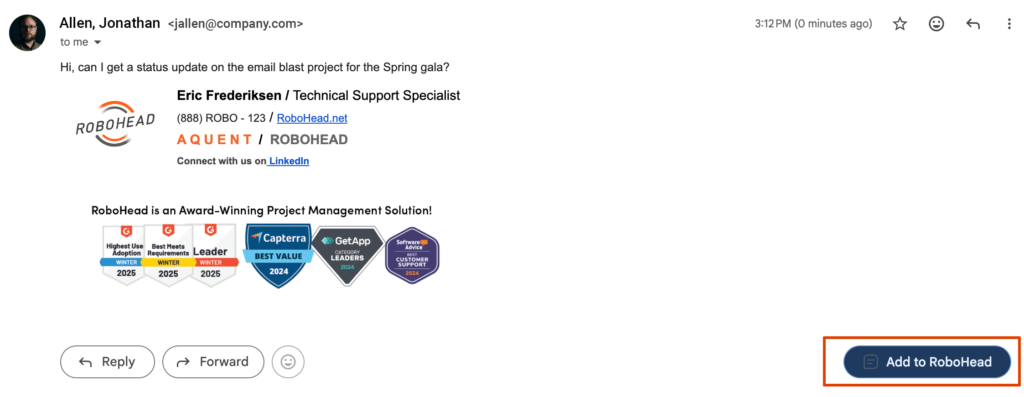
RoboHead for Gmail: RoboHead for Gmail will allow you to pull any email you receive into RoboHead as a request or a note. That means that when one of those users who won’t use the request form emails you, you can create a request from it with just a few clicks, without leaving your email client. Or when someone asks a pertinent question about the project through email, you can add it to that project as a note and answer it there, keeping RoboHead as your source of truth, rather than worrying about tracking email chains.
RoboHead File Uploader: The RoboHead File Uploader lets you add files directly from RoboHead to just about any site with a file upload option, all without ever asking you to download the file. This takes multiple steps out of the process while keeping your machine from getting cluttered.
RoboHead Page Saver: The RoboHead Page Saver will allow you to save any page you’re looking at in your browser into RoboHead, either to specific projects, or the Library. For example, you’re working on an email blast meant to go out to your stakeholders. When you load the page, you can save it into RoboHead for easy access for other users. RoboHead will grab the website’s URL, and take a snapshot of the page. NOTE: Snapshots are only available for publicly available sites. Snapshots are not for internal sites and password-protected sites.
Spark Analyst is where you need it
The RoboHead Spark Report Analyst is a powerful reporting tool that can let you pull useful insights out of your reports. Project reports are the most common types of reports, so we’ve brought the Report Analyst to the projects list. Your project list is, essentially, a report on which projects you have visibility to, and the Report Analyst will treat it that way.
You can adjust the data available to the analyst by adding or removing columns from the project list, and by filtering your list, giving you the power to report on exactly what you want to report on, while leaving out extraneous information. For example, you may want to exclude projects that are ‘Complete’ but not yet Archived, to make sure they don’t impact the questions you have about due dates and project progress.
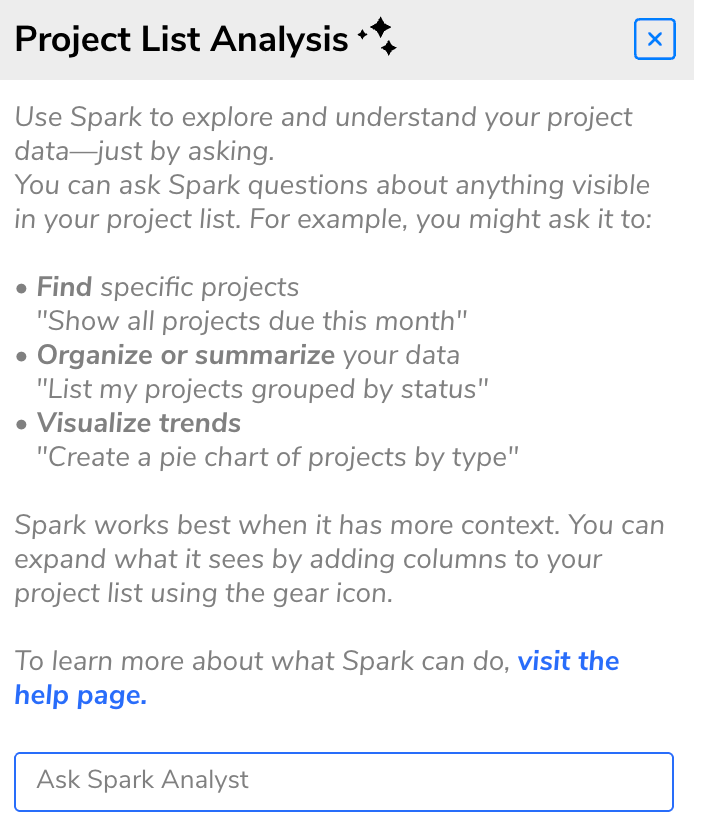
As a result of direct customer feedback, the Report Analyst will no longer offer insights immediately upon opening it. Instead, you’ll see a few guidelines on getting the most out of the Report Analyst, and a prompt field immediately ready for you to ask questions without waiting.
Additionally, our Spark Request Agent will now be able to look at the questions you ask requesters most frequently, using RoboHead’s Update Required status. This information will help the Request Agent to ask the questions your team is most frequently asking of requesters, prompting them to fill it out the first time whenever they use the RoboHead Easy Request option. This information will not be shared between clients.

About the Author
Eric is the customer support specialist for RoboHead. In addition to being a friendly face behind our 24/7 support, he is also responsible for creating training and product materials. In his spare time, Eric enjoys cooking for his friends, writing, fixing computers, and gaming. He is also the owner of an orange cat.